Live view for every camera
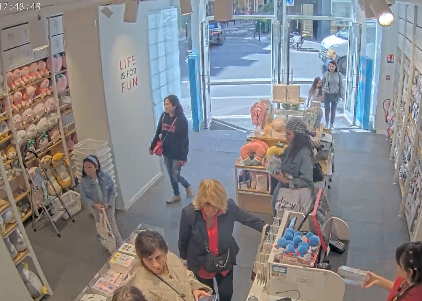
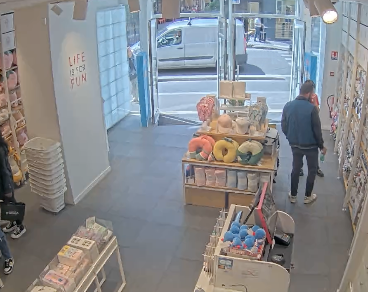
Browse large camera fleets with paged live views, filter by site or status, and build a camera wall with configurable stream limits.
Hub
Hub brings the cameras behind every Agent and Vault into one shared workspace. Operators watch live streams, search recordings across sites, keep devices and sites organised, and build workflows that run object tracking, number plate recognition, loitering detection, or scene descriptions on every new recording.
 REC
REC
The agent is offline, please check your agent or factory.
 REC
REC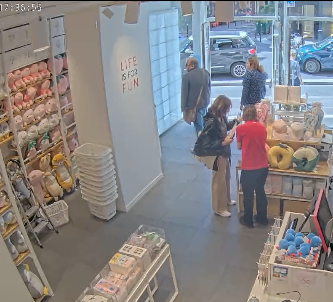
The Hub interface operators use every day: live view, recordings, devices, sites, and workflows. Open a workflow to chain analysis blocks, expand a run to see why a stage was skipped or timed out, or filter recordings by a marker to jump to the moment.
Core capabilities
Each capability below maps to a current product surface or runtime flow. Use the source and documentation to go deeper or talk to us about your deployment.
Browse large camera fleets with paged live views, filter by site or status, and build a camera wall with configurable stream limits.
Filter recordings by date, site, device, detected objects, markers, and tags, then star what matters for later.
Follow the status, uptime, and version of every Agent, and group cameras into sites on a map.
Chain object tracking, number plate recognition, loitering, scene descriptions, and forwarding into automated workflows.
Notify the right channel when a rule matches, and collect recordings into cases you can export as evidence.
Separate customers and teams into organisations and projects, and control every page with roles and permissions.
Livestreams at scale
Bring a camera fleet into one live view. Find a device, filter by site or status, and choose a grid that fits the moment. Move from a multi-site overview to the cameras your team needs to watch.
Get instant overview of all your online devices
Ghent HQAntwerp PortBrussels OfficeRotterdam HubLille Warehouse Paris RetailBerlin CampusGhent HQAntwerp PortBrussels OfficeRotterdam Hub
1–12 of 2,048 cameras
Explore an illustrative fleet of 2,048 cameras. This demo uses still images, not live connections or a performance benchmark.
Search cameras and narrow the view by site or status, so operators can get to the right location without losing the bigger picture.
Switch grid density for an overview, or build a custom live layout in Hub with the cameras you need, arranged and resized for your team.
Browse a large fleet with paged views and configurable stream limits. Simultaneous playback depends on the device, network, stream settings, and deployment configuration.
Workflows
Hub workflows run automatically on every new recording. Chain object tracking, number plate recognition, loitering detection, scene descriptions, and your own integrations. Results become markers you can search in Recordings, and every run is traced stage by stage, so when something goes wrong you see exactly where and why.
Run inspector
run-2d8e5b44Timeline · Loading bay
The gate system receives the plate seconds after the truck arrives.
Find it again in Recordings
Plays from 00:15Chain built-in blocks, or your own models and integrations, and decide when each step continues, without writing code.
Scope a workflow to devices, sites, groups, or a weekly schedule, and start only when a person or vehicle is detected.
Detections, markers, and descriptions land on the recording, so operators can filter and review them in Recordings.
Follow each stage on a timeline and see exactly why a step was skipped, timed out, or never got its input.
Practical answers
What it does, where it runs, and how it fits your camera infrastructure.
Hub provides a shared workspace for large camera fleets, with site and status filters, paged live views, and configurable stream limits. Managing thousands of cameras does not mean decoding every stream simultaneously in one browser. Playback capacity depends on client hardware, network capacity, stream settings, and deployment configuration.
Hub workflows chain processing stages on new recordings, including object tracking, number plate recognition, loitering detection, scene descriptions, and forwarding to other systems. Teams can also connect their own models and microservices.
Agent connects to each camera and captures video. Factory deploys and operates Agents on Kubernetes. Vault receives and stores recordings. Hub brings live streams, searchable recordings, alerts, cases, and automated workflows into one operator workspace. Use the components that fit your deployment.
How it fits
Hub is useful on its own and becomes more capable when connected to the rest of the UUG.AI stack.
Read the documentationAgents report their status to Hub, and Vault hands over every new recording.
Watch live streams and search recordings across every site from one workspace.
Run workflows on new recordings and alert the right people when something matches.
Build with UUG.AI